This feature requires a file with Owner Address private keys. Make sure you understand the security implications before proceeding.
If an Owner Address private key is leaked, an attacker CAN:
Withdraw all accumulated Platform credits to the current payout address
Sign ProUpRegTx (protx update_registrar): change payout address, voting address, or operator BLS public key — redirect future rewards or appoint their own operator
Spend DASH from the owner address balance, if any funds are held there
An attacker CANNOT (with Owner Address key alone):
Steal the 1000 DASH collateral — requires the collateral address private key
Execute ProUpRevTx or ProUpServTx — requires the BLS operator private key from the node
Withdraw Platform credits to an arbitrary address via OWNER key (only to the registered payout address)
Web upload risk: the file passes through this server (temporary file on disk). Use only on hosting you trust; never upload keys to third-party sites.
Instructions
Prepare your private_keys.txt file with one Owner Address private key per line (format: privateKey:proTxHash)
Click "Choose file" and select your file
Click "Execute Mass Send" to start the process
Wait for the process to complete (may take several minutes)
Review the output for any errors
File format example:
private_key_1:proTxHash_1
private_key_2:proTxHash_2
private_key_3:proTxHash_2
...
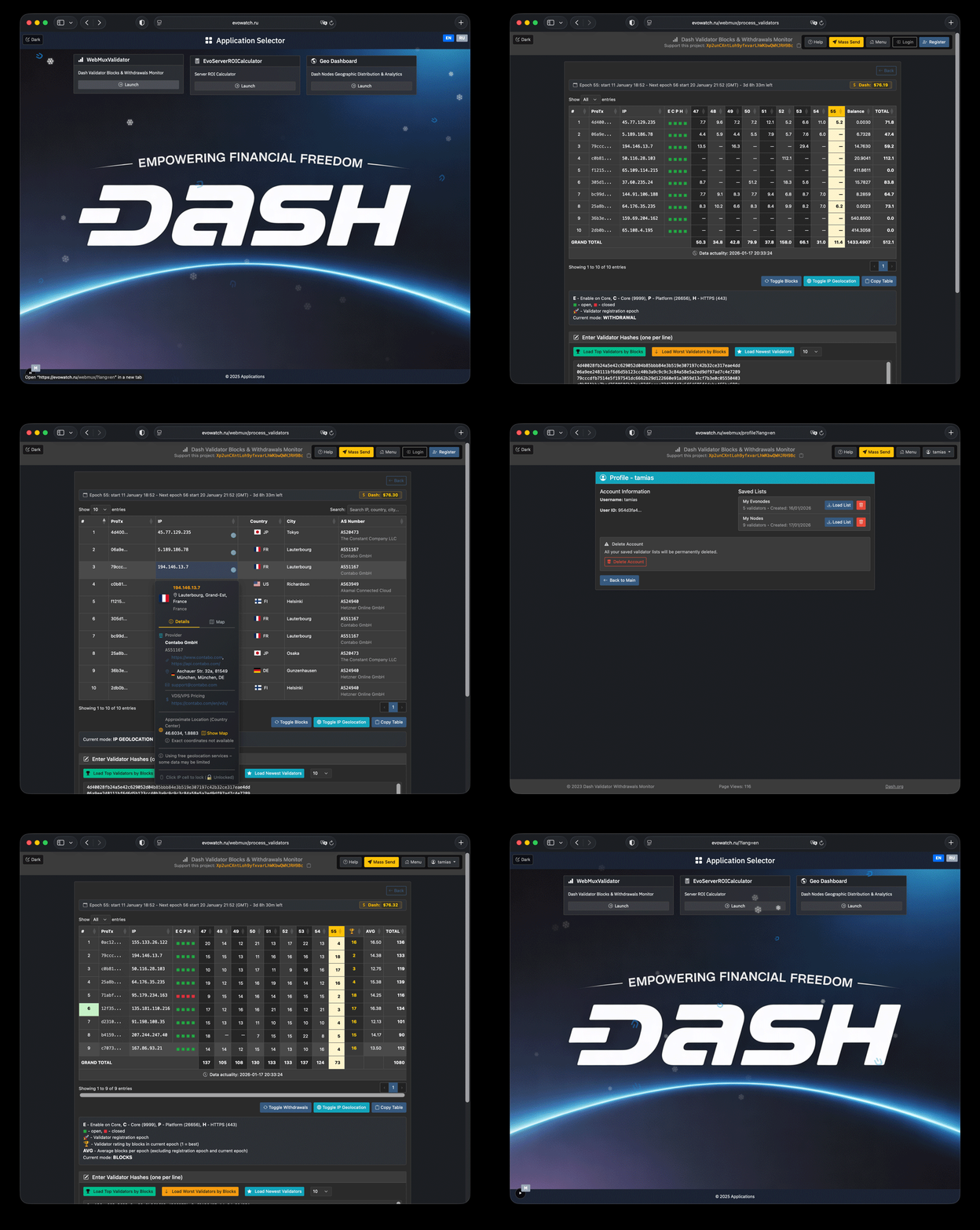
WebMuxValidator Help
Purpose: Dash validator monitoring — validate proTxHash lists, show blocks/withdrawals, IP geolocation, port status, and address matches analysis.
Quick start:
Paste proTxHash values (one per line).
Set the starting epoch (default: last 8 epochs).
Click Generate Table.
In the table, switch modes, sort, and search.
For lists > 50 hashes, use batch processing or Analyze.
Enter validators
— breakdown of Platform validators from db.json (Evo in Core, archive, PoSe, geo)
🏆 Rating Lists
10 / 25 / 50 / 100— list size (selector in the card)
— best by blocks in the current epoch
— worst by blocks in the current epoch
— newest by registration epoch
— top by identity balance
🌐 Platform
— all Evo validators on the platform
— enabled in Core (not PoseBanned)
— proTx on the same server IP or migration to another server (ProUpServ)
Table rows are grouped by transitive closure: rows merge if they share a server IP or the same proTx (different IP periods). Two link types: (1) several proTx on one IP; (2) one proTx changed server (ProUpServ). If A and B share an IP and B is the same proTx as row C at another IP, then A, B, and C are one group.
👤 User Lists
— sign in
— create account to save lists
— load a saved list
— save the current list
— mass Platform credits withdrawal (see page warning)
Main actions
— build the table (up to 50 hashes per batch)
— group proTxHash by owner, voting, payout, collateral, register
Hashes are grouped by transitive closure: if two hashes match on any parameter (owner, voting, payout, registration block height, or collateral), they belong to one group. If hash A matches B on one parameter and B matches C on another, all three (A, B, C) form one group.
Results table
— toggle Blocks / Credits (Dash) / Withdrawals
— country, city, AS, provider
— copy to clipboard
— next batch for large lists
Click ProTx in the table to copy the full hash; double-click to show dash-cli protx info from Dash Core. Hashes from your first saved list are highlighted (green row number).
— run matches analysis in the modal
— copy all proTxHash in a group
— copy and open the group in a new tab
Table legend:
ProTx column — node type by hash color: abc12… Evo node (platform credits); abc12… Regular masternode (no platform credits). From Geo Dashboard Explore the type is known in advance; otherwise it is detected from protx_list / db.json.
For Regular rows, credit columns stay empty; port C/P/H are not live-scanned (defaults: closed); E shows masternode port 9999.
E — Enable on Core: Enable, PoseBanned
C — Core (9999), P — Platform (26656), H — HTTPS (443): open, closed
🚀 — validator registration epoch
🏆 — validator rating by blocks in current epoch (1 = best performer)
AVG — average blocks per epoch in the displayed range (from Start Epoch); lifetime average since registration (or epoch 1) is shown in parentheses. Registration epoch (🚀) and current epoch are excluded; only epochs with blocks > 0 are counted. Click an AVG cell for the epoch chart.
Data: db.json, IP2Location + ip-api.com, provider data; cached in files/Redis. db.json updates hourly; node counts, IP geodata, and providers update every 3 hours.